Is Claude enough for your hiring funnel? Discover why the “Execution Gap” makes Bot Shreyasi the essential Virtual Recruiter for automated workflows in 2026.


Is Claude enough for your hiring funnel? Discover why the “Execution Gap” makes Bot Shreyasi the essential Virtual Recruiter for automated workflows in 2026.
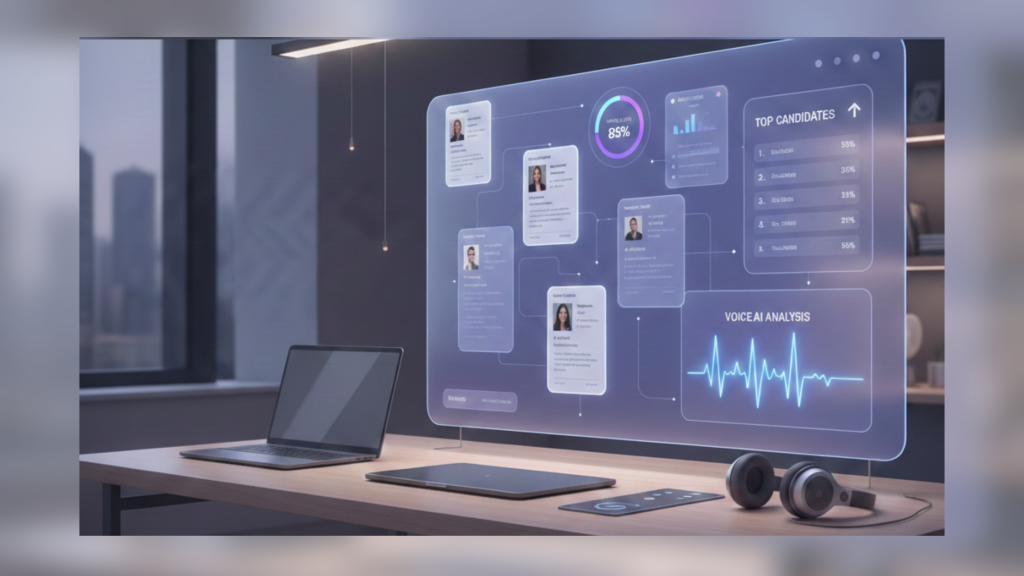
Discover how to automate resume screening using Bot Shreyasi’s Voice AI and candidate matching. Rank candidates 80% faster with unbiased skills verification.

Performance-based assessments are practical evaluations that verify candidate competencies by simulating real-world job tasks. By utilizing “Job-Mirrors” and objective scoring rubrics, organizations can move beyond resume bias to identify high-potential talent. This guide explains how to identify critical incidents and create simulation environments for effective skill-based hiring.

Skill-based hiring is a talent acquisition architecture that prioritizes verified competencies over traditional credentials. By implementing a skill ontology and performance-based work samples, organizations reduce hiring bias and increase employee retention. This 4-step framework provides the roadmap for transitioning from pedigree-based to potential-based recruitment.

If you are leading a Talent Acquisition team today, you are likely caught in a “resource trap.” The business wants to grow faster, but your budget for new recruiters is frozen. You are expected to find more people, in more regions, with higher skills, all while using the same small team you had last year. Usually, the only way to scale is to work longer hours or hire more people. But agentic ai talent acquisition offers a third way: increasing your team’s “output” by giving every recruiter a digital partner that actually does the work. Unlike traditional automation that needs a human to trigger every step, these agents manage the recruitment life cycle independently. This isn’t just a tech upgrade; it is a fundamental shift in how we measure the value of a TA team. 1. The ROI of Autonomy: Where the Savings Actually Come From When we talk about the “ROI” of AI, we often get stuck on vague ideas like “efficiency.” For a Head of TA, ROI needs to be more concrete. In the Agentic Framework, ROI comes from three specific areas: 2. Breaking Down the Numbers: Measurable Financial Impact To make a real business case, we have to look at the hard data. Organizations moving toward agentic systems aren’t just seeing small improvements; they are seeing a complete overhaul of their cost structure. Drastic Reduction in Cost-Per-Hire (CPH) By minimizing the need for manual screening and reducing reliance on third-party agencies, firms are achieving up to an 80% reduction in manual screening time. When your internal “agents” are scanning thousands of profiles across LinkedIn, Indeed, and GitHub in minutes, the need for expensive external help drops significantly. In fact, many high-volume teams report a 15% to 30% direct reduction in labor costs. Slashing the Time-to-Hire (TTH) High-volume teams often lose top talent to faster competitors. Agentic AI acts as a 24/7 engagement engine, answering candidate questions instantly and booking interviews without human intervention. This has led to a 40% to 65% reduction in time-to-hire. Faster hiring doesn’t just save time; it lowers the risk of candidates accepting a competitor’s offer by up to 36%. Boosting Quality and Retention ROI isn’t just about speed; it is about who stays. Semantic matching (looking at the “whole story” of a candidate rather than just keywords) leads to a 50% increase in the quality of hires. Better matches mean lower turnover, which can save a 1,000-employee operation nearly $450,000 a year in attrition-related costs. 3. The Three Pillars of the Agentic TA Framework To successfully scale with AI agents, your strategy should focus on these three pillars: 4. Measuring Success: The Metrics That Matter Now If you are building a business case for agentic AI, stop looking at “cost per click.” Start looking at these “Agentic Metrics” to compare your performance before and after implementation: 5. Q&A: Making the Business Case for Agentic AI How long does it take to see a return on investment? Most teams see a “time-save” return within the first 30 days. The financial return usually follows in the first full hiring quarter. In fact, early adopters report achieving between 200% and 400% ROI within the first two years of mastering these measurements. Will my recruiters be resistant to this? Not if you frame it correctly. No recruiter went into this profession because they love scheduling interviews or data entry. They joined because they love people. Show them that the agent takes away the “boring” parts so they can do the “rewarding” parts. Can this handle high-volume and niche roles? Yes. For high-volume, it provides the speed needed to win. For niche roles, it provides the “reasoning” needed to find specialized talent that doesn’t show up in a standard keyword search. The Bottom Line Scaling your TA function in 2026 isn’t about working harder: it is about working with better partners. By implementing the Agentic TA Framework, you aren’t just buying software. You are building a scalable, autonomous system that grows as your company grows.

The Executive’s Guide to Agentic AI: How Autonomous Agents are Redefining the Future of Work If you feel like your “automated” recruitment process is actually creating more manual work, you’re not alone. For years, we’ve been sold tools that promised to “automate” our lives, yet most TA leaders spend half their day jumping between tabs, fixing broken integrations, and manually pushing candidates from one stage to the next. We’ve reached the limit of what basic automation can do. As we move through 2026, the industry is shifting toward a much smarter partner: Agentic AI. But what does that actually mean for a busy HR manager? Let’s break it down in plain English. 1. The Simple Difference: Instructions vs. Objectives To understand Agentic AI, think about the difference between a paper map and a modern GPS app. 2. Why “Automation” Failed to Solve the Burnout Crisis The problem with traditional automation is that it still requires a human to be the “manager” of every single task. We became the “connective tissue” between our tools. We were automating the work, but we weren’t automating the thinking. Agentic AI changes this by acting as a digital coworker. 3. The Trust Factor: Keeping the “Human” in Human Resources One of the biggest fears with any AI is that we’ll lose the personal touch that makes recruitment special. This is where the “Agentic” approach is actually more human than old-school bots. Because the AI handles the repetitive, “robotic” parts of the job—the sourcing, the initial screening, the calendar tetris—recruiters are finally free to do what they do best: building relationships. However, for this to work, we follow three golden rules of “Responsible AI”: 4. How to Transition Without the Headache You don’t need to scrap your entire tech stack to start using Agentic AI. The best way to begin is by identifying your biggest “time-leak.” 5. Common Questions About Agentic AI (Q&A) Is Agentic AI going to replace my recruiting team? No. Think of it as an assistant, not a replacement. An agent can find the candidates and handle the scheduling, but it cannot judge “culture fit” or convince a hesitant candidate to leave their current job for your mission. It gives your team their time back so they can focus on the human side of the business. Do I need to be a software expert to use this? Not at all. The beauty of Agentic AI is that you talk to it like you talk to a person. You don’t need to write code or complex rules. You simply give it a goal in plain English, and the agent figures out the technical steps to get there. How is this different from a ChatGPT bot? A standard chatbot can write a job description for you, but it can’t “do” anything with it. An agent has the power to take action. It can write the description, post it to boards, find candidates, and send the emails. It doesn’t just talk: it executes. The Bottom Line In 2026, the competitive advantage won’t go to the team with the most recruiters or the most expensive software. It will go to the leaders who treat AI not as a tool to be managed, but as a coworker to be guided. Agentic AI isn’t here to replace the recruiter; it’s here to finally let the recruiter be human again.

Key Takeaways What You’ll Learn In this comprehensive guide, we break down three critical HR systems to help you understand their core functions, key differences, and when to use each one. Whether you’re a small business evaluating your first HR software or a large enterprise optimizing your talent infrastructure, this guide will help you make the right decision for your organization. What is HRMS (Human Resource Management System)? Definition and Primary Purpose An HRMS (Human Resource Management System) is a comprehensive software platform designed to manage your entire employee lifecycle—from recruitment and onboarding through performance management, compensation, and eventually retirement or departure. Think of HRMS as the central hub for all your HR operations. Rather than using multiple disconnected tools, an HRMS consolidates payroll, benefits administration, time tracking, performance management, compliance, and employee data management into one integrated platform. Core Philosophy: HRMS is built for managing people holistically. Key Functions of HRMS 1. Employee Database Management An HRMS centralizes all employee information in one secure location: This single source of truth eliminates scattered spreadsheets, ensures data consistency across departments, and enables managers and HR teams to access information instantly for quick decision-making on staffing, transfers, and promotions. 2. Payroll Processing and Compliance One of the most critical HRMS functions is automated payroll management: Modern HRMS platforms ensure compliance with evolving tax regulations and labor laws, significantly reducing the risk of costly errors or penalties. 3. Time and Attendance Tracking HRMS integrates with various attendance tracking methods: This real-time visibility helps identify patterns, manages leave balances, and provides data for productivity analysis. For hybrid and remote teams, this feature becomes essential for workforce visibility without micromanagement. 4. Leave Management Automated leave request workflows include: 5. Performance Management Modern HRMS platforms include: This replaces the outdated annual review model with ongoing feedback loops, enabling better employee development and engagement. 6. Analytics and Reporting Real-time dashboards provide insights into: What is ATS (Applicant Tracking System)? Definition and Primary Purpose An ATS (Applicant Tracking System) is specialized recruitment software designed to streamline your entire hiring process. It functions as your recruitment command center, managing everything from job posting through offer acceptance and the start of employee onboarding. Every resume, application, interview feedback, and hiring decision flows through the ATS, creating a centralized hub for all recruitment activities. Core Philosophy: ATS is built for speed and quality of hire. Key Functions of ATS 1. Job Posting and Multi-Channel Distribution Modern ATS platforms enable: 2. Resume Screening and Candidate Ranking AI-powered capabilities include: 3. Candidate Database and Search The ATS maintains a searchable database of: 4. Automated Scheduling and Communication Automated workflows handle: 5. Team Collaboration and Feedback Built-in collaboration features include: 6. Analytics and Reporting Recruitment metrics dashboards track: What is Performance Management Software? Definition and Primary Purpose Performance Management Software (PMS) is designed to support continuous employee development, goal alignment, and performance evaluation. Unlike traditional annual reviews, modern PMS enables ongoing feedback, regular check-ins, and data-driven development planning. Core Philosophy: PMS is built for employee development and engagement. Key Functions of Performance Management Software 1. Goal Setting and Alignment Modern PMS enables: 2. Continuous Feedback Instead of annual reviews, PMS facilitates: 3. Performance Analytics Real-time dashboards display: 4. Development Planning Personalized development includes: Feature Comparison: HRMS vs ATS vs Performance Management Feature HRMS ATS Performance Management Employee Database Full Limited Limited Payroll & Compensation Complete No No Time & Attendance Full No No Leave Management Complete No Minimal Recruitment Basic Complete No Resume Screening Basic AI-Powered No Job Posting Limited Multi-Channel No Performance Reviews Basic No Advanced Goal Setting Simple No OKR-Based Continuous Feedback Limited No 360-Degree Analytics HR Metrics Recruitment Performance Mobile Access Yes Yes Yes Cloud-Based Yes Yes Yes AI Capabilities Yes Yes Yes Integration Ready Yes Yes Yes When to Use Each System Use HRMS Alone If You: Example: A manufacturing company with 150 employees and stable staffing needs. An HRMS platform handles payroll, leave management, and benefits efficiently. Recruiting happens occasionally, and basic ATS features within the HRMS suffice. Estimated Cost: $2,500–$8,000 per month Use ATS Alone If You: Example: A staffing agency managing 200+ open positions simultaneously. A specialized ATS provides the recruitment excellence needed. For employee management, they use basic payroll software. Estimated Cost: $1,500–$5,000 per month Use HRMS + ATS Integration If You: Benefits of Integration: Example: A SaaS company with 300 employees hiring 50+ roles annually uses Lever (ATS) and Workday (HRMS). ATS data syncs to HRMS at hire, automatically triggering onboarding, payroll setup, and benefits enrollment. Estimated Cost: $4,000–$12,000 per month Add Performance Management If You: Estimated Cost: Add $2,000–$6,000 per month to existing HRMS + ATS Cost Analysis by Business Size System Setup Small Business (<50) Mid-Market (50-500) Enterprise (500+) HRMS Only $1,500–$3,000/mo $3,000–$6,000/mo $10,000–$30,000/mo ATS Only $500–$1,500/mo $2,000–$5,000/mo $5,000–$20,000/mo HRMS + ATS $2,000–$4,500/mo $5,000–$11,000/mo $15,000–$50,000/mo Full Suite $3,500–$6,000/mo $7,000–$15,000/mo $20,000–$60,000/mo ROI Example: ATS Implementation Scenario: Mid-market company hiring 20 roles per year Metric Without ATS With ATS Impact Time-to-Hire 45 days 25 days 20 days saved/hire Annual Time Saved — — 400 days total Unfilled Role Cost $3,000/day $3,000/day Productivity loss Total Savings — — $1,200,000 ATS Annual Cost — — $36,000 Efficiency Gains — — $60,000 ROI — — 67% Year 1 Beyond time and cost savings, quality-of-hire improvements and reduced turnover provide additional long-term value. Decision Framework: Which System Do You Need? Assessment Questions Question 1: How many employees do you have? Question 2: How many roles do you hire annually? Question 3: What’s your primary pain point? Question 4: What’s your budget? Implementation Timeline Phase 1: Foundation (Months 1-2) Phase 2: Expansion (Months 3-4) Phase 3: Optimization (Months 5+) Frequently Asked Questions Q: What’s the difference between HRIS and HRMS? A: HRIS (Human Resource Information System) is an older term focusing primarily on data storage and retrieval. HRMS (Human Resource Management System) is modern HRIS with added functionality—automation, analytics, self-service, and workflow management. Today, the terms are largely used interchangeably. Q: Can I use HRMS and ATS from different

introduction You shortlist a strong candidate. You send an email. They reply at 8 PM. You forward it to your interviewer. Two days pass. Your hiring manager finally responds with three options. The candidate does not reply. You follow up. They have already accepted another offer. Sound familiar? This is what happens when interview scheduling still runs on email and spreadsheets. It is not just slow. It is costing you the best talent in your market. In India’s fast-moving startup ecosystem, companies that still schedule interviews manually are already falling behind teams that have automated this step. This guide explains which interview scheduling tools work for Indian teams, when free tools stop being enough, and why voice-based scheduling can become a real hiring advantage. Why Interview Scheduling Is a Hidden Hiring Bottleneck in India Most teams never track how much time they spend just coordinating interviews. One interview round easily takes 30 minutes of back-and-forth. For a team hiring 50 people per quarter, that adds up to more than 300 hours a year. That is roughly 75 full workdays spent only on calendar coordination. The bigger loss is not time. It is candidates. Indian hiring has specific challenges. Many tech candidates cannot interview during regular office hours. Around 58 percent of interviews happen in the evening or on weekends. Hiring managers already work long days. The market also moves quickly. Candidates with multiple offers do not wait for slow scheduling. The result is predictable. Candidates drop off. Interviewers get frustrated. Hiring cycles stretch to around 52 days for tech roles, even when roles could be closed faster. If you are still scheduling interviews over email in 2025, you are leaving strong candidates sitting in your inbox. What Interview Scheduling Software Actually Does Interview scheduling software solves one simple problem. It removes the back-and-forth. Instead of emails bouncing between recruiter, candidate, and interviewer, the software: Advanced tools add features like smart matching or interviewer workload balancing. The core goal stays the same. Remove scheduling chaos. Free Tools vs Paid Tools: The Real Difference Free tools handle the basics well. They work if your hiring volume is low, your interview process is simple, and you do not depend heavily on ATS integrations. Paid tools become useful when hiring grows. They help when you are hiring hundreds of candidates a year, running multiple interview rounds, or want clear visibility into hiring efficiency. Most teams outgrow free tools quietly. At first, everything seems fine. Then rescheduling increases. Interview feedback goes missing. Candidate statuses in the ATS fall behind. Hiring speed slows without anyone noticing why. Best Free Interview Scheduling Tools for Indian Teams PicktimeFree tier includes unlimited users, unlimited appointments, calendar syncing, and reminders. It works well on Indian networks and has no artificial limits.Cost: Free CalendlySimple and familiar. Candidates already know how it works. Setup takes minutes.Cost: Free, paid plans start around ₹750 per month SetmoreBuilt for small teams. Supports multiple users and includes email and SMS reminders.Cost: Free for up to four users, paid plans start around ₹900 per month Zoho BookingsBest for teams already using Zoho products. Seamless integration inside the Zoho ecosystem.Cost: Free with optional premium plans Simple choice: Picktime for zero cost and zero limits. Calendly for simplicity. Setmore for small teams. When Paid Tools Make Sense Do not consider paid tools if you hire fewer than 50 people per quarter and run only one or two interview rounds. Start considering paid tools if: A company hiring around 300 people a year often spends over ₹30,000 per month in recruiter time just on scheduling. A paid tool costing ₹40,000 to ₹50,000 per month that cuts this work by 80 percent usually pays for itself within the first month. Voice-Based Scheduling and Why It Changes Things Traditional scheduling tools ask candidates to pick a slot from a list. Voice-based scheduling works through conversation. The system asks when candidates are available, updates calendars, sends confirmations, and handles rescheduling automatically. This works well in India because candidates can respond outside office hours, conversations feel natural, and multiple Indian languages are supported. Engagement improves and drop-offs reduce. Voice systems require higher investment and setup effort. They make sense mainly for teams handling high interview volumes every month. Voice Bots and the Bot Shreyasi Approach Most scheduling tools manage calendars. Bot Shreyasi focuses on conversation. Candidates interact with a voice bot that feels like a recruiter. The bot asks about availability, answers basic role questions, and confirms interviews naturally. All data is captured in real time and recruiters can easily sync their calendars with candidates, reducing drop off rates as well as faster and confusion free hiring experience for recruiters as well as candidates. This approach works well in India because it supports regional languages, reduces candidate drop-offs, and removes manual data entry for recruiters. How to Choose the Right Tool Ask these questions first: General guidance: One Example That Matters A 25-person startup in Bangalore was hiring engineers and sales staff. Scheduling happened entirely over email. Candidates waited days for confirmation. Feedback went missing. ATS data stayed outdated. After switching to a paid scheduling tool with ATS integration, hiring cycles dropped from 52 days to 38 days. No-show rates fell from 18 percent to 7 percent. Recruiters saved around eight hours every week. The tool paid for itself in the first month. Implementation Without Overthinking Week one. Choose a tool and set up one interview type. Week two. Run three to five real interviews and collect feedback. Week three. Decide based on actual usage. Stay on free if it works. Upgrade only if you hit limits. The Bottom Line Scheduling directly affects hiring speed. Teams that fix scheduling move faster and hire better talent. Teams that ignore it keep losing candidates without knowing why. Picktime works well for teams on a budget. Paid tools make sense when hiring scales. Voice-based scheduling fits teams that care deeply about candidate experience. Next Step Start with Picktime, bot shreyasi or Calendly and run a few
Key Takeaways What You’ll Learn In this guide, we examine the 10 essential ATS features that modern recruiting teams depend on. Each feature has been evaluated based on time savings, quality impact, and return on investment for typical recruiting operations. 1. AI-Powered Resume Screening What It Is Machine learning algorithms that automatically rank resumes against job requirements, scoring candidates and surfacing top matches first. Why It Matters Manual resume review consumes 60% of recruiter time: AI screening changes this equation entirely. How It Works Time Savings Example Software Engineer Role – 500 Resumes Metric Without AI With AI Savings Manual review time 25 hours 2.5 hours 22.5 hours Cost @ $50/hour $1,250 $125 $1,125 Annual (50 hires) 1,250 hours 125 hours 1,125 hours/year Annual Cost Savings — — $56,250 2025 Enhancement Conversational resume screening via voice AI. Candidates answer job-specific questions verbally; AI evaluates and scores responses. Multimodal screening combines resume, video, and voice data for comprehensive assessment. 2. Job Posting and Multi-Channel Distribution What It Is Post a job once and publish across LinkedIn, Indeed, Naukri, industry boards, and your career site with a single action. Why It Matters Manual posting to each channel multiplies recruiter work: Multi-channel distribution solves all of this. Distribution Channels Channel Monthly Reach Why It Matters LinkedIn 900M+ professionals Largest talent pool Indeed High-volume traffic Quality applicants Naukri Regional professionals Local market access Industry Boards Niche talent pools Specialized skills Social Media Extended audience Passive candidates Career Site Company brand Culture storytelling Key Features 2025 Enhancement AI-generated job descriptions optimized for keyword rankings and candidate appeal. Multilingual posting reaching global candidates. Voice-first job descriptions discoverable through voice search. 3. Candidate Database and Search What It Is Searchable database of all candidates from applications and external sourcing with rich filtering and custom tagging. Why It Matters Your candidate database is your greatest recruiting asset. Effective search capabilities enable: Search Capabilities Capability Time Savings Advanced multi-criteria search 4-6 hours vs 30 seconds Talent pool creation and maintenance Save pools for recurring needs Custom tagging system Quick organization Resume parsing to structured data Instant extraction Historical candidate access 3-5 years of history Bulk export for outreach campaigns Campaign ready lists Practical Example Manual Search: “Find all Python developers with 3+ years AWS experience” 2025 Enhancement AI suggests candidates for new roles based on historical patterns. Skill graph visualization shows candidate networks and referral opportunities. Predictive analytics identify candidates likely to accept offers. 4. Automated Scheduling and Communication What It Is Automatically schedule interviews and send communications without manual back-and-forth. Why It Matters Interview scheduling wastes significant recruiter time: Automated scheduling transforms this process. Features and Benefits Feature Reduces Calendar integration Email back-and-forth (1.5 hours per hire) Candidate self-scheduling Coordinator time Automated reminders No-shows by 40–50% Meeting link generation Manual setup (30 minutes) Two-way SMS confirmation Email overload Multi-round scheduling Complex coordination (1 hour) Waitlist management Unused interview slots Time Impact Per Hire Activity Time Saved Initial scheduling 1.5 hours Reminder follow-ups 0.5 hours Rescheduling and coordination 1 hour Total per hire 3 hours 50 hires annually 150 hours 2025 Enhancement Voice AI handles all scheduling. Candidates text a number to book interviews. Reminders delivered via candidate’s preferred channel. Auto-transcription and AI analysis of interviews. 5. Team Collaboration What It Is Collaborative platform where hiring managers, recruiters, and interviewers share feedback and make decisions together. Why It Matters Without collaboration tools: Collaboration platforms centralize everything. Collaboration Features 6. Skills-Based Matching What It Is Move beyond resume keywords to actual skills-based candidate evaluation. Why It Matters Job titles don’t reflect actual skills: Skills Matching Capabilities Feature Benefit Skill taxonomy Predefined or custom definitions Auto skill extraction Identify from resume Skill proficiency levels Beginner to expert Skill gap analysis Top candidates with minor gaps Reskilling opportunities Find trainable candidates Peer endorsement Verify through network Future-ready skills Tomorrow’s talent today 2025 Enhancement AI identifies in-demand skills trending in market. Predictive skill relevance 2-3 years forward. Voice AI assesses skills through conversational interviews. 7. Diversity, Equity, and Inclusion (DEI) Tracking What It Is Built-in DEI metrics and bias-reduction features ensuring equitable recruiting. Why It Matters Unconscious bias affects every recruiting stage: DEI tracking ensures an equitable process. DEI Capabilities Feature Impact Blind hiring Hide names, photos during initial review DEI metrics dashboard Track diversity in pipeline Bias detection Flag biased job language Inclusive questions Reduce interview bias Diversity reporting Measure representation Predictive analysis Forecast bias patterns Accessibility support Accommodate disabilities Pronoun tracking Respect identity 8. Candidate Experience and Portal What It Is Branded career site and application experience reflecting company culture. Why It Matters Candidate experience affects employer brand: Experience Elements 9. Analytics and Reporting What It Is Recruitment metrics dashboards and customizable reports revealing recruiting performance. Why It Matters Data-driven recruiting outperforms gut-feel decisions. Metrics reveal: Key Metrics to Track Metric What It Reveals Time-to-fill Days from posting to hire (benchmark: 45 days) Cost-per-hire Total recruiting cost per hire Source-of-hire Which channels produce best candidates Offer acceptance rate Quality of offers/candidates Interview-to-offer ratio Conversion efficiency Diversity metrics Representation tracking Recruiter productivity Hires per recruiter monthly Drop-off points Where candidates exit pipeline Analytics Features 2025 Enhancement AI-powered insights identify trends automatically. Natural language queries like “Show me Q3 engineering hires.” Predictive forecasting of recruitment needs. 10. Mobile Access and Accessibility What It Is Full ATS functionality through native iOS and Android apps optimized for on-the-go use. Why It Matters Recruiters need mobile access: Mobile Requirements Requirement Priority Benefit Native iOS/Android CRITICAL Better than mobile web Offline capability IMPORTANT Works without internet Push notifications IMPORTANT Real-time alerts Biometric login IMPORTANT Fast and secure Core features CRITICAL Complete functionality Performance IMPORTANT Fast and battery efficient Accessibility IMPORTANT Voice and screen readers 2025 Enhancement Progressive web apps provide native app experience without installation. Voice-only interface for hands-free operation. Smartwatch support for critical notifications. Bonus: Voice AI Integration What It Is (Emerging 2025) Voice AI agents integrated with ATS for interview screening, scheduling, and candidate communication. Why It Matters Voice AI improves: Voice AI Capabilities
When you decide to invest in an AI voice recruiter, the excitement is real. You imagine your team screening hundreds of candidates while you sleep and picture time-to-hire dropping by weeks. You see your recruiting metrics transform. But then something happens that most companies don’t talk about publicly. The system arrives, gets set up, and produces results that are… confusing. Candidates aren’t being ranked properly. The system keeps making odd decisions. Some candidates get marked as qualified when they shouldn’t be. Others get rejected for reasons nobody can explain. And suddenly that $20,000 investment feels like money thrown away. Here’s the uncomfortable truth: 73% of companies buying AI voice recruiters experience exactly this problem, according to recent research from Sense HQ. But it’s not the software that’s broken. It’s the one thing almost nobody does before they buy it. The One Thing That Ruins Everything:- Not Auditing Your Hiring Data First Before you buy any AI voice recruiter, your company needs to do something unglamorous but absolutely critical. You need to audit the data currently sitting in your ATS (Applicant Tracking System). Think of it like this. An AI voice recruiter is only as smart as the information it learns from. If you feed it good data, it makes good decisions. If you feed it garbage, it makes garbage decisions. And most companies are feeding it garbage without realizing it. Here’s what typically lives in an ATS that hasn’t been cleaned up: Incomplete candidate information. A candidate’s name, phone number, and job title exist. But their actual experience level, key skills, and previous performance ratings are blank or wrong. Inconsistent data formats. One recruiter entered “5+ years sales experience.” Another wrote “Sales – 5 yrs.” A third put “Sr. Sales Executive.” They all mean similar things, but the system sees three different entries. Missing outcome data. You have hundreds of candidates in your system, but you don’t know which ones actually succeeded in the roles they were hired for. Which candidates performed well? Which ones quit after two months? This information is either missing or scattered across other systems nobody connected. Duplicate records. The same candidate exists three times in your system because different recruiters added them at different times, as documented in ATS data quality research. No hiring decision reasoning. Your team rejected many candidates over the years, but nobody documented why. The system has no way to learn what “rejection” means in your company’s context. When an AI voice recruiter tries to learn from this messy data, it’s like trying to learn the rules of chess from a game where half the moves were recorded wrong. The AI simply cannot understand what separates good hires from bad ones. It can’t identify patterns. It can’t improve. Why Companies Skip This Step (And Why They Shouldn’t) The reason 73% of implementations struggle is simple. Everyone is in a hurry. Your hiring managers are screaming for more candidates and CFO is asking why you’re taking so long to fill positions. Your team is burnt out from manual screening. The promise of a solution that will “fix it all” is too tempting to resist. So people buy the tool without doing the prep work. They think, “We’ll sort it out as we go.” They don’t. Instead, what actually happens is this: Within weeks, the system starts making decisions that seem odd or unfair. Candidates are getting ranked incorrectly. Your team loses confidence. People start manually overriding the tool’s decisions all the time. And suddenly you’ve got an expensive purchase that everyone works around instead of with. The data quality problem gets worse too. Because your ATS data is messy, the tool makes bad matches. Your team questions the results. They add more manual steps. And what you wanted—automation that saves time—becomes a slower, more complicated process than before. 70% of AI integration projects fail because of poor data quality and outdated systems, according to research from Findem. When specifically looking at voice AI recruitment software, the same problem shows up: companies don’t understand their own data before trying to implement intelligent tools on top of it. The Sense HQ report found something even more revealing: 68% of talent acquisition leaders admitted they couldn’t clearly articulate what business problem they were trying to solve before purchasing AI recruiting tools. They bought first and figured out the strategy later. That’s backwards. What “Data Audit” Actually Means This doesn’t mean hiring a data scientist or spending three months analyzing spreadsheets. Here’s what an actual, practical data audit looks like for an AI voice recruiter implementation. Step 1: Assess your current data state Go into your ATS and answer basic questions. Of all your candidate records from the past 12 months: Don’t guess. Actually look at the numbers. This foundation determines whether your tool will succeed or fail. Step 2: Check your data consistency Pick a field that matters to your hiring decisions—like job title or years of experience. Look at how different people have entered this information. You’re looking for patterns. Is “Customer Service Representative” entered as “CSR” by someone else and “Cust Svc Rep” by someone else? That’s a consistency problem. Your system will see these as three different things. Are experience levels recorded as “5 years,” “Senior,” or “very experienced”? Same problem. Inconsistent data prevents the AI from learning patterns. Step 3: Understand your hiring outcomes This is the most important part for an AI voice recruiter to actually work. Can you answer these questions? If you can’t answer these questions, the system won’t be able to learn what makes a good hire in your company. It will have no foundation to learn from. Step 4: Identify what needs to be cleaned Based on steps 1-3, decide what to fix. Do you need to: This isn’t all-or-nothing. You probably don’t need to clean your entire historical database. But for an AI voice recruiter to work, you need at least 12 months of clean data with clear outcome tracking. What Happens When You Do the Data Audit First Companies that actually do this